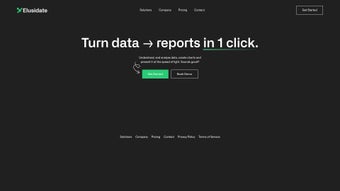

Download ElusidateAI – AI‑Powered Data Analysis & Presentation Tool
Why ElusidateAI Is the Next Step in Data‑Driven Storytelling
In today’s fast‑paced business environment, the ability to turn raw numbers into clear, compelling narratives can be the difference between a missed opportunity and a strategic win. Traditional data‑analysis workflows often involve a patchwork of spreadsheet manipulation, manual chart creation, and time‑consuming slide‑deck design. Each step introduces the risk of errors, inconsistencies, and wasted hours that could otherwise be spent on interpretation and decision‑making.
ElusidateAI was built precisely to eliminate those bottlenecks. By harnessing advanced machine‑learning models, the platform automatically cleans, visualizes, and packages data into interactive reports with a single click. This means analysts, marketers, finance professionals, and even C‑suite executives can generate polished presentations in minutes rather than days.
The tool’s cloud‑native architecture guarantees that you always work with the latest AI enhancements, while robust encryption and compliance features keep sensitive information secure. Whether you’re preparing a quarterly earnings briefing, a marketing performance review, or an operational dashboard, ElusidateAI offers a seamless bridge from raw datasets to persuasive visual stories. Its cross‑platform accessibility—working on Windows, macOS, Linux, Android, and iOS—ensures that teams can collaborate in real time, no matter where they are located.
In short, ElusidateAI transforms the data‑to‑insight pipeline into a frictionless, secure, and visually engaging experience, empowering organizations to act faster and smarter.
Overview of ElusidateAI
ElusidateAI is a next‑generation artificial‑intelligence platform built to turn raw data sets into polished, interactive visual reports with a single click. Whether you are a solo analyst, a marketing manager, or a data‑driven executive, the tool removes the tedious steps of cleaning, charting, and slide‑deck creation, allowing you to focus on insight rather than execution. The software’s core engine parses CSV, Excel, Google Sheets, or database exports, then automatically suggests the most appropriate visualizations—bar charts, heat maps, line graphs, or even custom dashboards—based on the underlying patterns it detects.
Once the visual is generated, ElusidateAI adds interactive controls, annotation layers, and export options (PDF, PPTX, HTML) so you can share findings instantly with stakeholders. In practice, the promise of “data to presentation in minutes” translates into faster decision cycles, reduced reliance on external design teams, and a consistent visual language across all business units. The platform also includes a library of pre‑built templates tailored for finance, marketing, HR, and operations, ensuring that the final output aligns with industry standards while still being fully customizable.
Security‑first architecture, cloud‑based processing, and regular AI model updates guarantee that the tool stays both reliable and future‑proof. In short, ElusidateAI positions itself as the bridge between raw numbers and compelling storytelling, making data‑driven communication accessible to anyone with a computer and an internet connection.
The AI engine doesn’t just produce static charts; it creates fully interactive dashboards that let end‑users explore data on‑the‑fly. Users can filter by region, drill down into product categories, or hover over data points to see detailed tooltips—all without leaving the report. The platform’s learning capabilities also mean that the more you use it, the better its suggestions become.
For example, if you consistently replace a bar chart with a line chart for time‑series data, the AI will start recommending line charts for similar uploads, gradually adapting to your personal or organizational visual preferences. This adaptive behavior not only speeds up repetitive tasks but also builds a knowledge base that aligns with your organization’s visual standards. Overall, ElusidateAI offers a powerful combination of automation, interactivity, and customization that streamlines the entire reporting workflow from data ingestion to final presentation.
Key Features, Benefits, and Easy Installation
- One‑Click Report Generation – upload a file and receive a complete interactive dashboard in under two minutes.
- AI‑Driven Chart Selection – the engine analyses data distribution and automatically recommends the most effective visualization type.
- Customizable Templates – dozens of industry‑specific templates that can be branded with logos, colors, and custom fonts.
- Interactive Dashboards – end‑users can filter, drill‑down, and hover for tooltips without leaving the report.
- Multi‑Format Export – PDF, PowerPoint, HTML embed code, and live sharing links are generated instantly.
- Collaboration Suite – share a live link with teammates, assign comment rights, and track version history.
- Data Privacy Controls – end‑to‑end encryption, GDPR compliance, and optional on‑premise deployment for regulated industries.
- Continuous AI Updates – monthly model refinements improve chart accuracy and introduce new visual types.
- Cross‑Platform Access – web‑based UI works on Windows, macOS, Linux, as well as mobile browsers on Android and iOS.
- Integration Hub – connectors for Google Drive, OneDrive, Dropbox, and major SQL databases simplify data import.
The combination of these features creates a workflow where data analysts spend less time on manual formatting and more time interpreting trends. For example, a sales manager can upload a quarterly revenue CSV, click “Generate,” and instantly receive a presentation that highlights regional performance, product‑line growth, and forecast scenarios—all ready to be presented in a board meeting. The AI also learns from user tweaks; if you frequently replace a bar chart with a line chart for time‑series data, the system will start recommending line charts for similar future uploads. This adaptive behavior not only speeds up repetitive tasks but also builds a knowledge base that aligns with your organization’s visual standards. Moreover, the collaboration tools eliminate the need for back‑and‑forth email attachments; stakeholders can comment directly on the live dashboard, ensuring that feedback is captured in context.
Getting started with ElusidateAI is intentionally frictionless. Because the application is cloud‑native, there is no heavy installer to download—simply navigate to the official website, click the “Sign Up Free” button, and create an account using an email address or single‑sign‑on (SSO) with Google or Microsoft Azure AD. Once registered, you are greeted by a clean dashboard where you can drag‑and‑drop files or connect directly to cloud storage services. For organizations that prefer an on‑premise solution, ElusidateAI also offers a Docker‑based container that can be deployed behind a corporate firewall; the container image is available on Docker Hub and includes detailed setup instructions in the accompanying README.
The web interface is fully responsive and works on the latest versions of Chrome, Edge, Firefox, and Safari, making it compatible with Windows 10/11, macOS Ventura and later, as well as popular Linux distributions. Mobile users on Android 9+ or iOS 14+ can access the same functionality via a progressive web app (PWA) that stores reports locally for offline viewing. After logging in, the workflow follows three simple steps: (1) Import data – choose a file or connect a live data source; (2) Choose a template – the AI will suggest one, but you can override it; (3) Review & Export – tweak colors, add annotations, then click “Export” to download the desired format or generate a shareable link. The platform also supports API access for developers who want to embed report generation into custom applications; the RESTful endpoint accepts JSON payloads with data and returns a URL to the generated visualization.
Performance is optimized for large data sets; the backend runs on scalable AWS EC2 instances with GPU‑accelerated inference for rapid AI processing. Typical upload‑to‑report times range from 30 seconds for a 10‑KB CSV to under two minutes for a 500‑MB Excel workbook. If you encounter any latency, the “Speed Boost” toggle allows you to enable batch processing, which breaks the data into chunks and processes them in parallel. Customer support is reachable via live chat, email, or a dedicated Slack channel for enterprise plans, ensuring that any installation hiccups are resolved quickly.
Pros, Cons & Frequently Asked Questions
Pros
- Lightning‑fast one‑click report generation saves hours of manual work.
- AI‑driven visualization suggestions reduce the learning curve for non‑technical users.
- Fully customizable templates keep branding consistent across the organization.
- Interactive dashboards enable real‑time data exploration without additional software.
- Secure cloud architecture with GDPR and HIPAA compliance for sensitive data.
- Cross‑platform accessibility – works on Windows, macOS, Linux, Android, and iOS.
- Robust integration options with popular cloud storage and database services.
- Regular AI model updates keep the tool ahead of emerging data‑visualization trends.
Cons
- Advanced customization (e.g., custom JavaScript) is limited to higher‑tier plans.
- Large data sets (>1 GB) may require enterprise‑level infrastructure for optimal speed.
- While the free tier is generous, export options like PowerPoint are restricted to paid plans.
- On‑premise deployment requires technical expertise to manage Docker containers.
FAQ
Can I use ElusidateAI without an internet connection?
The core web application requires internet access, but the PWA can store previously generated reports for offline viewing. For full offline functionality, the on‑premise Docker version can be run within a closed network.
Is my data encrypted during upload and storage?
Yes. All data is encrypted in transit with TLS 1.3 and at rest using AES‑256 encryption. Enterprise customers can enable customer‑managed keys for additional control.
What file formats does ElusidateAI support?
CSV, Excel (.xlsx, .xls), Google Sheets, and direct connections to MySQL, PostgreSQL, and Microsoft SQL Server. Future formats such as JSON and Parquet are slated for the next release.
Can I embed a generated dashboard into my website?
Yes. Each report includes an embed code (iframe) that can be placed on any HTML page. The embed respects the same security and access controls you set within the platform.
How does the pricing model work?
ElusidateAI offers a free tier with unlimited report generation but limited export formats. Paid plans start at $19 USD per user per month and include premium exports, API access, and priority support. Enterprise pricing is custom based on volume and on‑premise needs.
Overall Rating: 4.5 / 5 – ElusidateAI delivers a remarkably smooth data‑to‑insight experience, with only a few advanced‑customization features reserved for higher‑priced plans.
Conclusion: A Smart Investment for Faster, Safer Reporting
ElusidateAI stands out as a comprehensive solution that merges powerful AI‑driven automation with an intuitive, secure, and collaborative environment. By cutting the reporting cycle down to minutes, it enables organizations to act on insights more quickly, reduce reliance on design resources, and maintain a consistent visual identity across all communications. The platform’s interactive dashboards, extensive template library, and seamless integrations make it suitable for a wide range of use cases—from financial earnings calls to marketing performance reviews and operational monitoring.
While the free tier provides generous functionality, teams that need advanced export options or deeper customization will find the paid plans well‑worth the investment. Security and compliance are baked into the core architecture, ensuring that even highly regulated industries can adopt the tool with confidence. In a market where speed, clarity, and data protection are paramount, ElusidateAI delivers a balanced mix of innovation and practicality.
If you are ready to streamline your reporting workflow, enhance collaboration, and present data in a more engaging manner, ElusidateAI is ready to help you get there. Sign up for the free tier to experience the one‑click report generation, explore the template library, and see how AI can accelerate your data storytelling. For larger teams or those with specific compliance requirements, consider the paid or enterprise options to unlock premium features and dedicated support. With ElusidateAI, turning data into decisive action has never been easier or more secure.
Take the next step toward smarter reporting—download ElusidateAI today and start creating interactive, insight‑rich presentations that drive results.



.png)



